

The first tentative specs for a pictured 13.3 model can be found here. It's a $229 Celeron N2840, 2 GB RAM (expandable?), 32 GB eMMC (? expandable?) 13.3 inch 1366x768 so-so screen machine with Windows 8.1 preinstalled. For $199, you can get practically the same hardware, only in 11 inch caliber.
Intel Celeron N2840 is not your (possibly) coveted Tegra K1 Denver in the next Chromebook, it's more powerful beast:
(quoted specs are taken from Notebookcheck.)Intel Celeron N2840
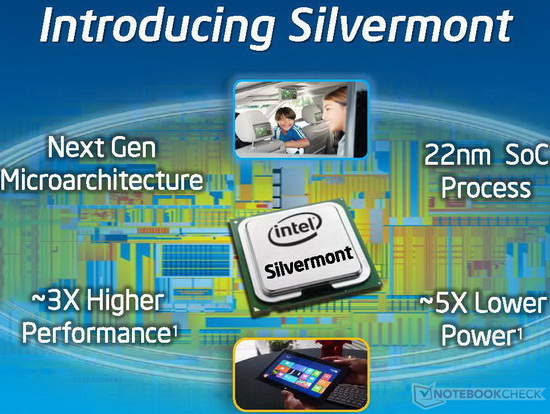
The Intel Celeron N2840 is a power efficient dual-core SoC for entry-level notebooks. It is clocked at up to 2.58 GHz and part of the Bay Trail-M platform. Thanks to the specially optimized 22 nanometer low-power process (P1271) with tri-gate transistors, performance and energy efficiency have been significantly improved compared to previous Intel Atom CPUs. The N2840 supports Intel Quick Sync and Wireless Display.ArchitectureThe processor cores are based on the new Silvermont architecture, which is an out-of-order design for the first time. The increased utilization of the pipeline and many other improvements (optimized branch prediction, increased buffers, enhanced decoders) have increased the performance per clock by about 50 percent. At the same time, however, the Hyper-Threading feature of the previous generation has been removed. Other major changes are the support for new instruction set extensions such as SSE 4.1 and 4.2 as well as AES-NI (depending on the model).PerformanceThanks to the improved performance per clock, the Celeron N2840 is faster than previous Intel Atoms, e.g. the N2850. Depending on the benchmark, the N2840 even competes with older dual core CPUs like the AMD A6-4455M. For simple everyday tasks such as Internet or Office the performance is adequate, but not for complex software or modern games.GraphicsThe graphics unit of Bay Trail is based on the Intel Gen7 architecture, which supports DirectX 11 and is also found in the Ivy Bridge series (e.g. HD Graphics 4000). With only 4 EUs (Execution Units) and a relatively low clock speed of up to 792 MHz, the GPU is even slower than the HD Graphics (Ivy Bridge). Therefore, only older and less demanding games will run fluently.Power ConsumptionThe entire SoC is rated at a TDP of 7.5 watts. Thus, the chip can be used in compact subnotebooks.
Series Intel Celeron Codename Bay Trail-M Clock Rate 2160 - 2580 MHz Level 1 Cache 112 KB Level 2 Cache 1024 KB Number of Cores / Threads 2 / 2 Max. Power Consumption (TDP = Thermal Design Power) 7.5 Watt Manufacturing Technology 22 nm Max. Temperature 105 °C Socket FCBGA1170 Features HD Graphics (Bay Trail, 313 - 792 MHz), Wireless Display, Quick Sync, Speedstep GPU Intel HD Graphics (Bay Trail) (313 - 792 MHz) 64 Bit 64 Bit support Hardware Virtualization VT-x Announcement Date 05/22/2014 Product Link (external) Intel Celeron N2840
Well, it's not an Intel i3 by any stretch of imagination, but it's supposedly faster or equal in performance than, say, Celeron 2955U. Well, faster, some say.
Sure, there's no touchscreen and no 1920x1080 IPS model for these Streams, and probably no option to upgrade RAM, but it certainly will run Windows 10. You also can bet it will be good with full-sized Ubuntu 14.10 64-bit.
Talking about absence of touchscreen models in present HP Stream 11 and 13 models: while their standard touchpads may support Windows 8.1 gestures, there's those always available separate RF touchpads like Lenovo TouchPad or this one by Dell (TP713):
These can be had for mere $20. A Logitech Wireless Rechargeable Touchpad T650, sort of Mercedes of all detached touchpads, can be had at about $30.
With my aversion of smearing finger oil and gunk all over the laptop screen, I'd rather use these $20...$30 remote pads that I can, say, tape to my chair elbow support/handle. Or velcro it to my lap.
However, the option of getting touchscreens on 13 and maybe 11 model is declared for unknown extra amount of dough. Whatever. For me, the options of getting 4G LTE 200MB/month via T-Mobile (lifetime? 2 years?), 1 TB of OneDrive and Office 365 for a year is much more important.
Laptops will be available some time in November in four colours, one of which (and IMHO, the most ridiculous one) is shown on the title picture. However, black lettering on white keys is good and better than usual reverse.
All in all, Chromebooks may lose $50...$100 in price before this Christmas, just to stay relevant.
No comments:
Post a Comment